How to Connect
To connect to the server you'll need a mod called Modflared.
Once installed, connect to the server at minecraft.platoon.games
If you don't want to install it yourself, follow one of the guides below to install a simple modpack. Once installed, the server should automatically be populated in your server select screen.
Modpack Installation Guides
Download the Prism Launcher.
Once installed, log into your Minecraft account.
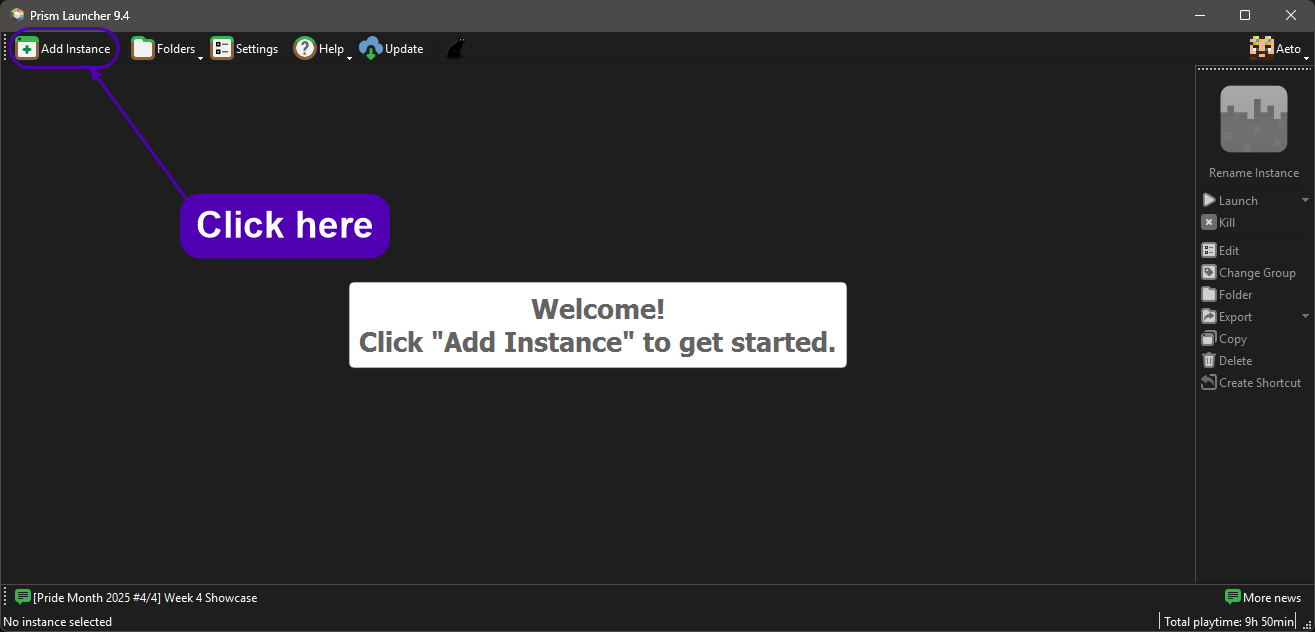
After logging in, click "Add Instance" on the top-left.
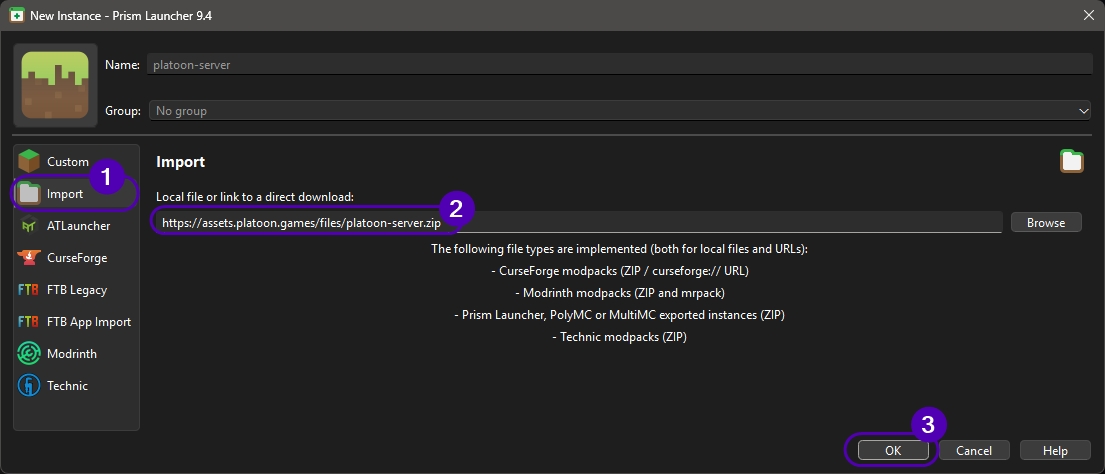
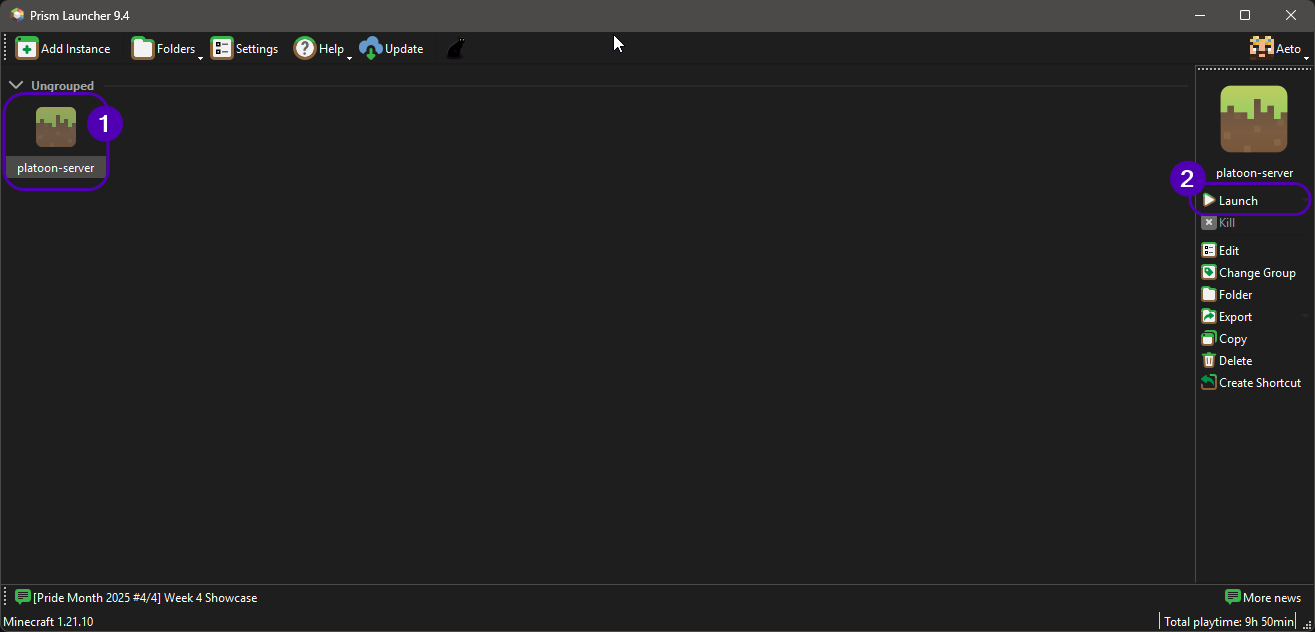
From here click on "Import" and paste the following link:
https://assets.platoon.games/files/platoon-server.zip
Screenshots
Download the Modrinth App.
Once intalled, log into your Minecraft account.
Download the Platoon Server.zip file from the following link.
https://assets.platoon.games/files/platoon-server.zip
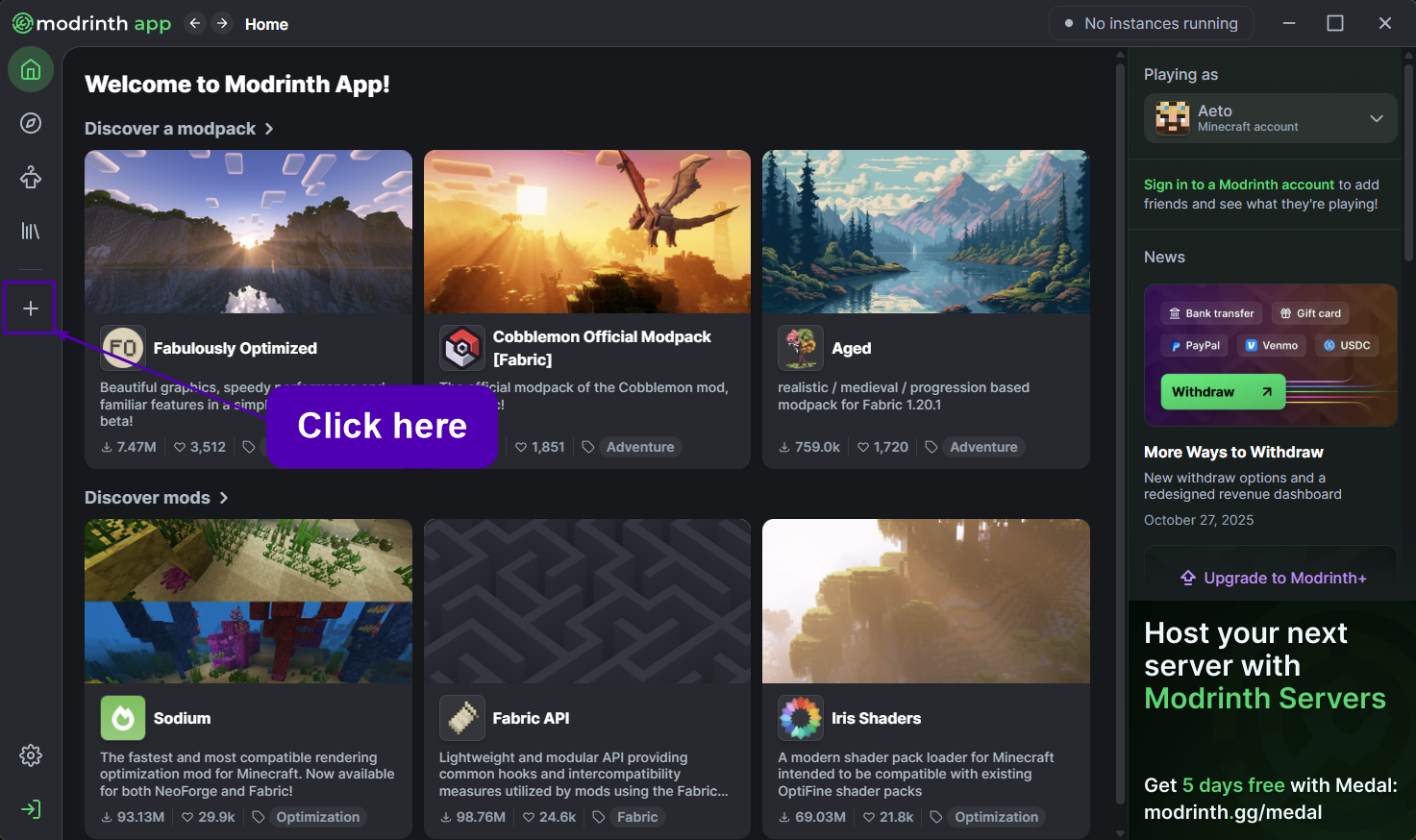
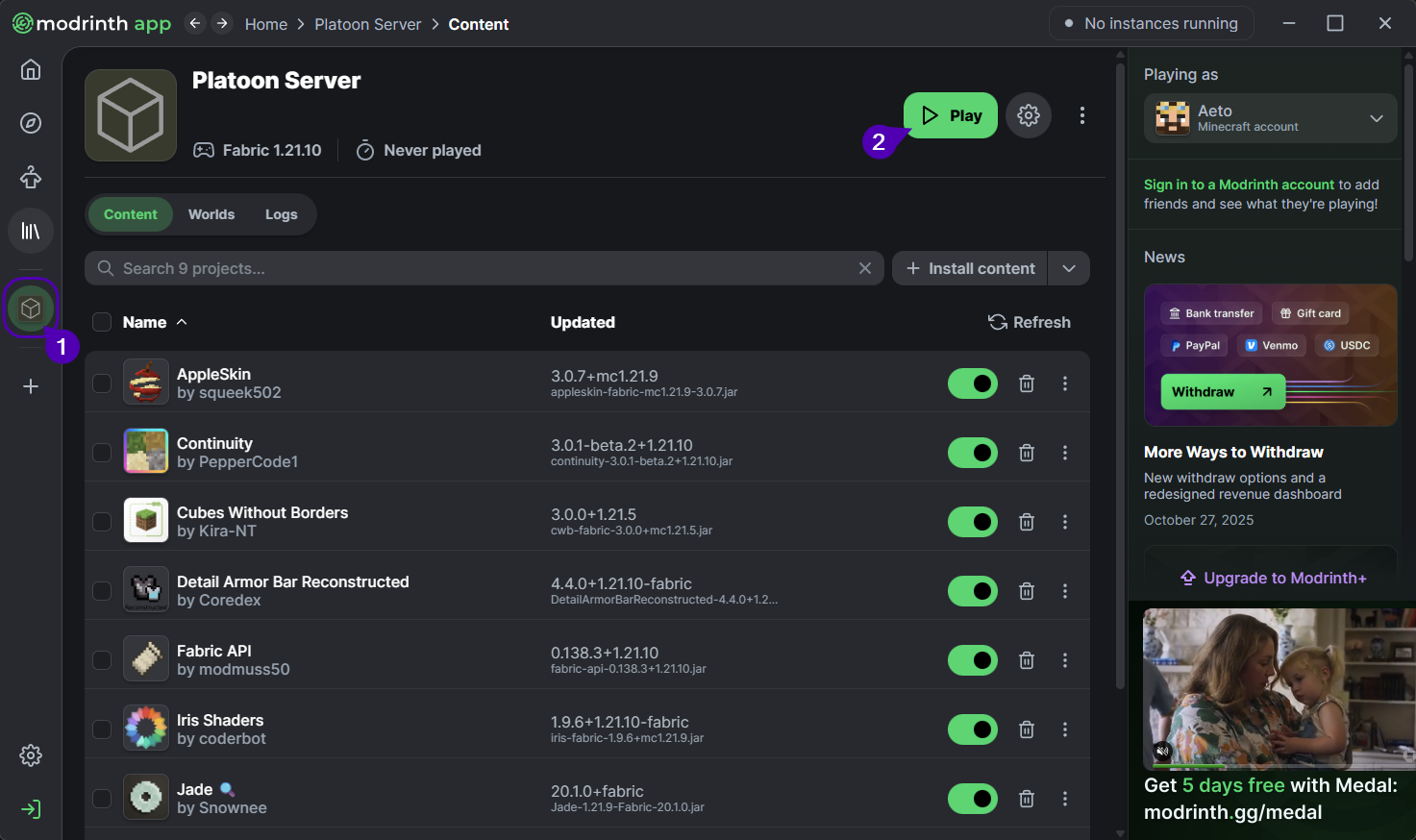
From here click on the + sign on the left-hand sidebar (will say "Create new instance" on hover).
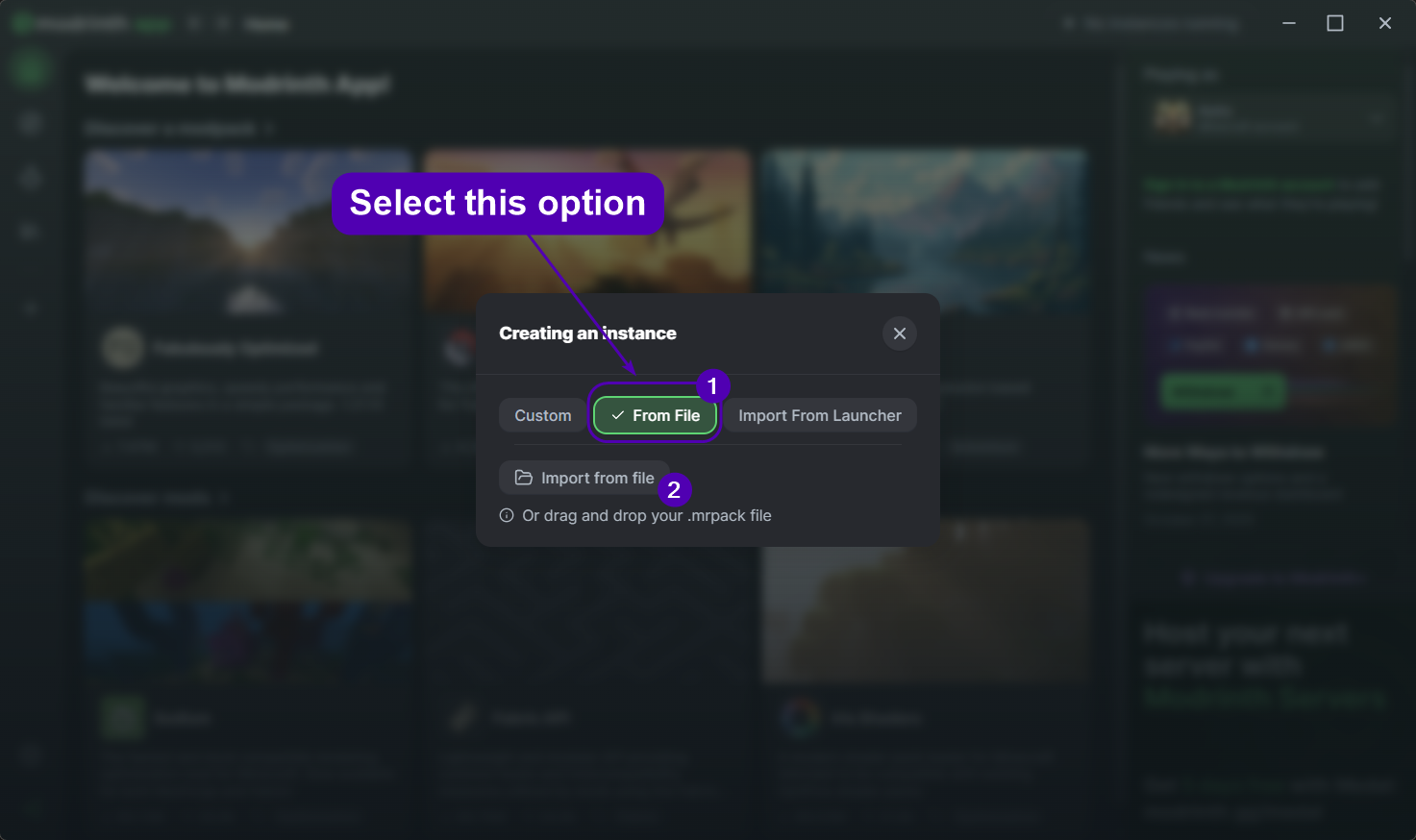
Click on the "From File" option, click on the "Import from file" button and import the Platoon Server.zip file.
Screenshots
Included Mods
| Mod | Description |
|---|---|
AppleSkin |
Adds improvements to the in-game hunger bar. |
Continuity |
Enables connected textures for resource packs that support it. |
Cubes Without Borders |
Allows you to run Minecraft in borderless fullscreen. |
Detail Armor Bar |
Shows additional details about your armor in the armor bar. |
Fabric API |
Modding API - other mods rely on this. |
Iris Shaders |
Shader pack loader compatible with Sodium. |
Jade |
Small utility mod that shows information about what you are looking at. |
Modflared |
This mod allows connecting to the server through a secure tunnel. |
Sodium |
Very fast rendering optimization mod for Minecraft - think new age Optifine. |